Home Dashboard
Try NowTrack daily expenses and income with smart filters
Best Expense Tracker 2026 | Privacy-First & Offline-Ready
Track expenses without compromising your privacy. Our expense tracker combines powerful budgeting, recurring expenses, and shopping lists with complete data ownership. No account required, works offline, and installs as a native app on any device.
App Screenshots
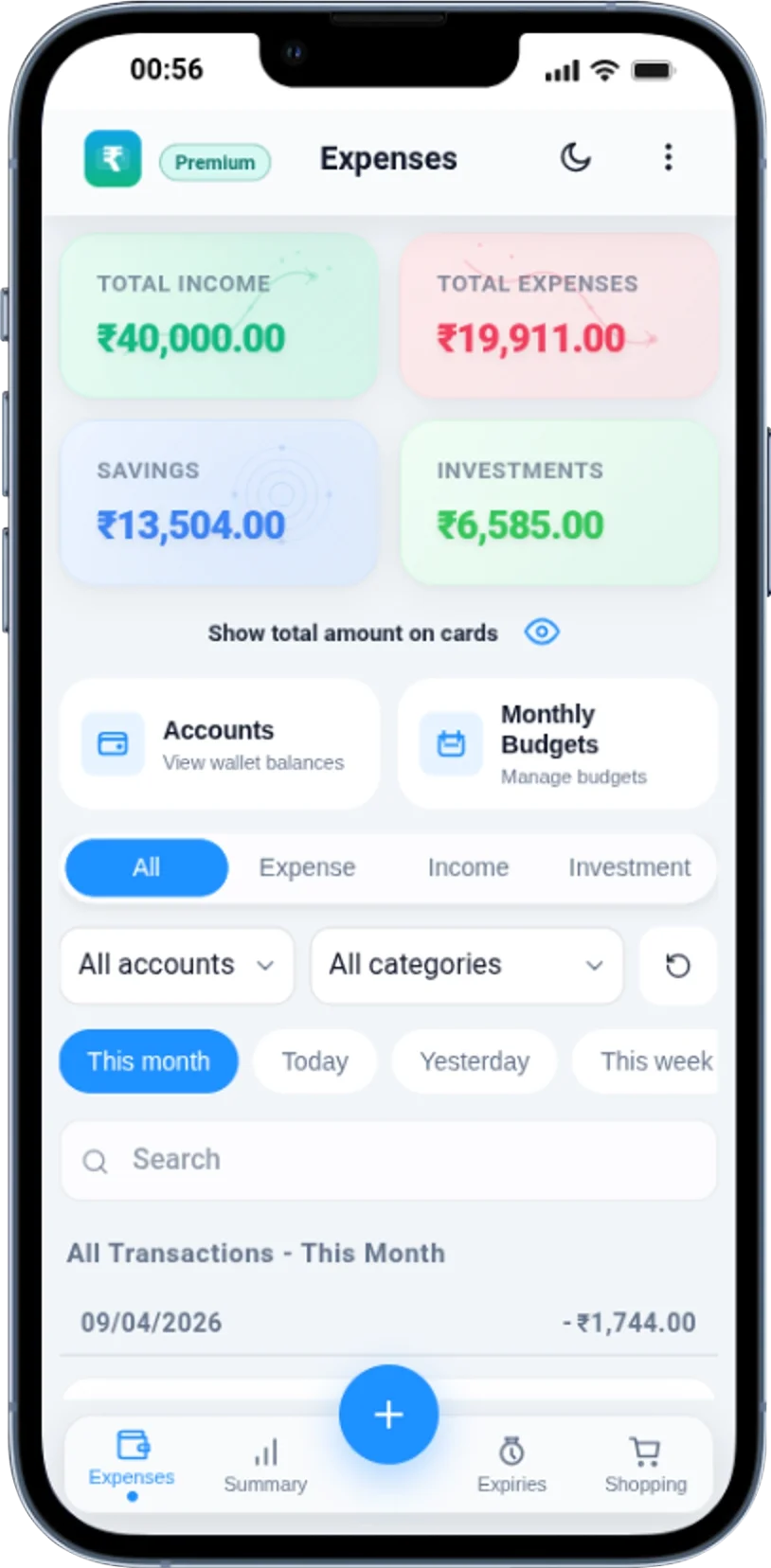
Track daily expenses and income with smart filters
Browse and manage all your expenses and income
.webp)
Add transactions fast with smart categorization
.webp)
Visual insights with charts and spending patterns
.webp)
Organize and track multiple accounts and wallets
.webp)
Set and track monthly budgets with progress indicators
.webp)
Monitor product expiries with smart reminders
.webp)
Organize purchases and convert to expenses
.webp)
Automate regular transactions with schedules
.webp)
Comfortable viewing with theme customization
.webp)
Explore Features

The app uses service worker caching for offline support and stores your records locally in your browser, so you can keep tracking spending without depending on a login or cloud sync.

Log income, expenses, and investments with quick editing, custom descriptions, and categories that make day-to-day money management easier to review.

Filter records by type, category, search text, and date windows including custom ranges so you can review spending patterns and monthly trends faster.

View donut charts, monthly totals, budget progress, over-budget warnings, and copy budgets between months from one clean budget tracking workflow.

Create recurring schedules for transactions and track product expiries with reminder timing and urgency views so important payments and household items are easier to manage.

Capture purchase ideas, long-press to multi-select items, and convert one or many items into expenses when a planned purchase becomes a real transaction.

Premium users can import CSV backups, export data, and download report-style CSV files whenever needed. Your data remains yours forever with unlimited export capabilities and industry-standard CSV format.
Pricing
Free
Premium
Pay via Razorpay link, then activate in app using unlock code or Razorpay Payment ID.
Join 10,000+ users who've chosen privacy-first expense tracking. No credit card, no personal data required.
Start Tracking NowPersonal Finance Blog
Expert advice on budgeting, saving, investing, and achieving your financial goals
Discover the proven strategies for creating a budget that you'll actually stick to. Learn how to overcome common budgeting pitfalls, automate your savings, and build a system that adapts to your lifestyle.
Read Full ArticleSmall changes can lead to big savings. Discover practical tips to save $500 without dramatically changing your lifestyle.
Read MoreLearn how to begin your investment journey with minimal capital and build wealth over time through smart strategies.
Read MoreEverything you need to know about saving for your first home, from budget strategies to mortgage approval tips.
Read MoreWant more personal finance tips and strategies?
View All Articles Compare Expense Trackers Start Tracking ExpensesExpense Tracker FAQ
Expense Tracker helps you record daily expenses, track income, manage budgets, review summaries, maintain shopping lists, and keep recurring entries in one place.
Yes. The app is built as a progressive web app and supports offline use after it has loaded, which is useful when you want to record spending on the go.
No. You can open the expense tracker and start adding transactions immediately without creating an account.
Yes. Data portability features include import, export, and downloadable reports so you can keep a backup of your records.