Step 1 · 0 seconds
Tap one link and you're in
There's no signup wall because there's no server to sign into. Your private ledger is created inside your own browser — instantly, offline-capable, invisible to us.
Open the App
A simple and powerful expense tracker that works entirely offline. Your data stays on your device, always.
Your data never leaves your phone
No sign up.
No cloud. Ever.
Understand your spending better
Stay on track with smart alerts
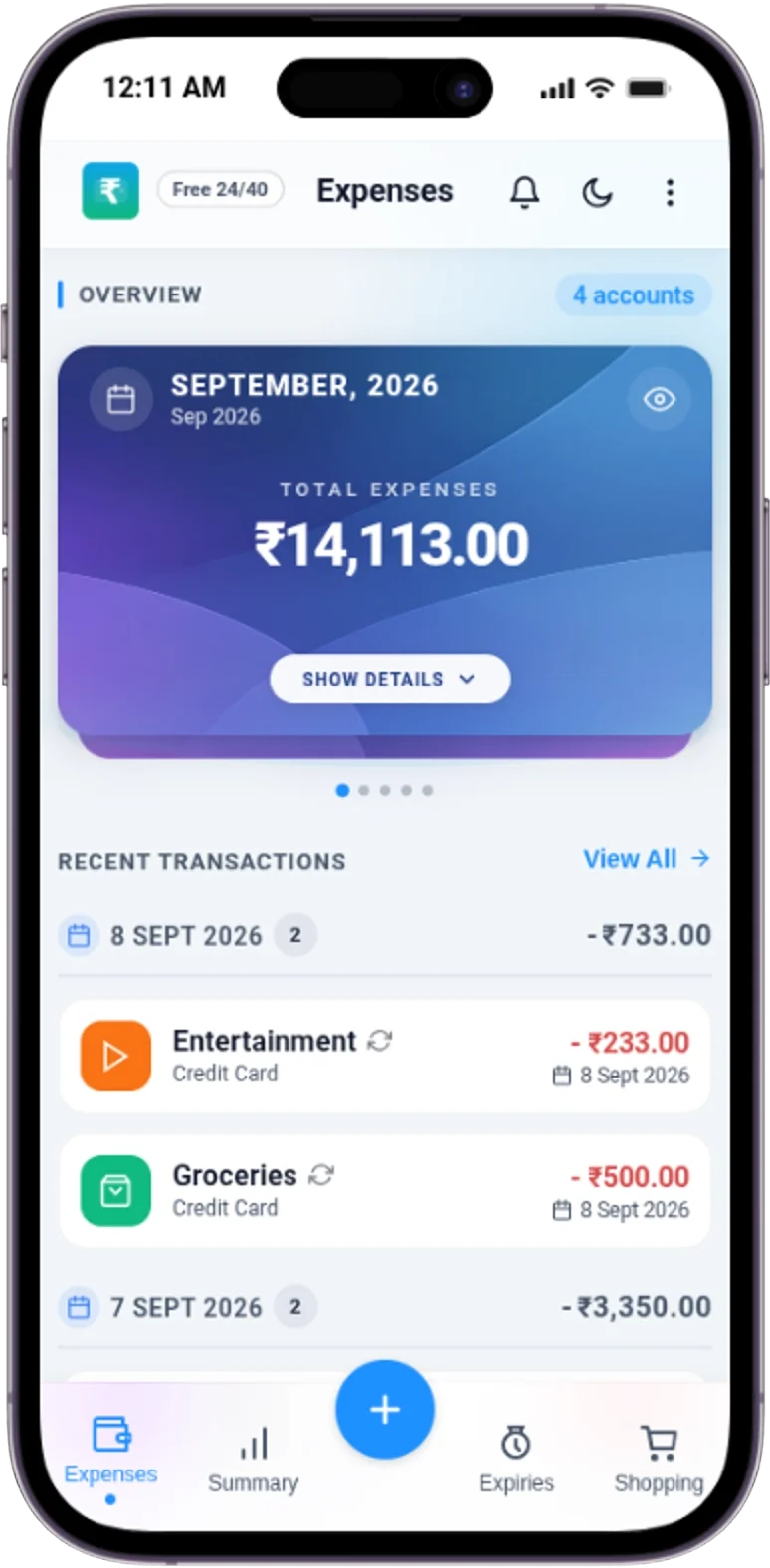
See How It Works
No account. No cloud. No learning curve. Just four tiny steps — try them right here.
Step 1 · 0 seconds
There's no signup wall because there's no server to sign into. Your private ledger is created inside your own browser — instantly, offline-capable, invisible to us.
Open the AppStep 2 · 5 seconds
Amount, note, category — done. Voice input, receipt scan, and smart defaults do the boring part. Every keystroke stays on your phone.
Log Your First ExpenseStep 3 · 20 seconds
Set one monthly limit and the built-in calculator totals spending, splits categories, and warns before you overshoot. No spreadsheets, no syncing.
Set a BudgetStep 4 · 60 seconds
Fingers → phone. That's the whole journey. Export a CSV backup whenever you like, lock the app with a passcode, and know there's nothing on our servers to leak.
Own Your DataApp Screenshots
Track daily expenses and income with smart filters
Browse and manage all your expenses and income
.webp)
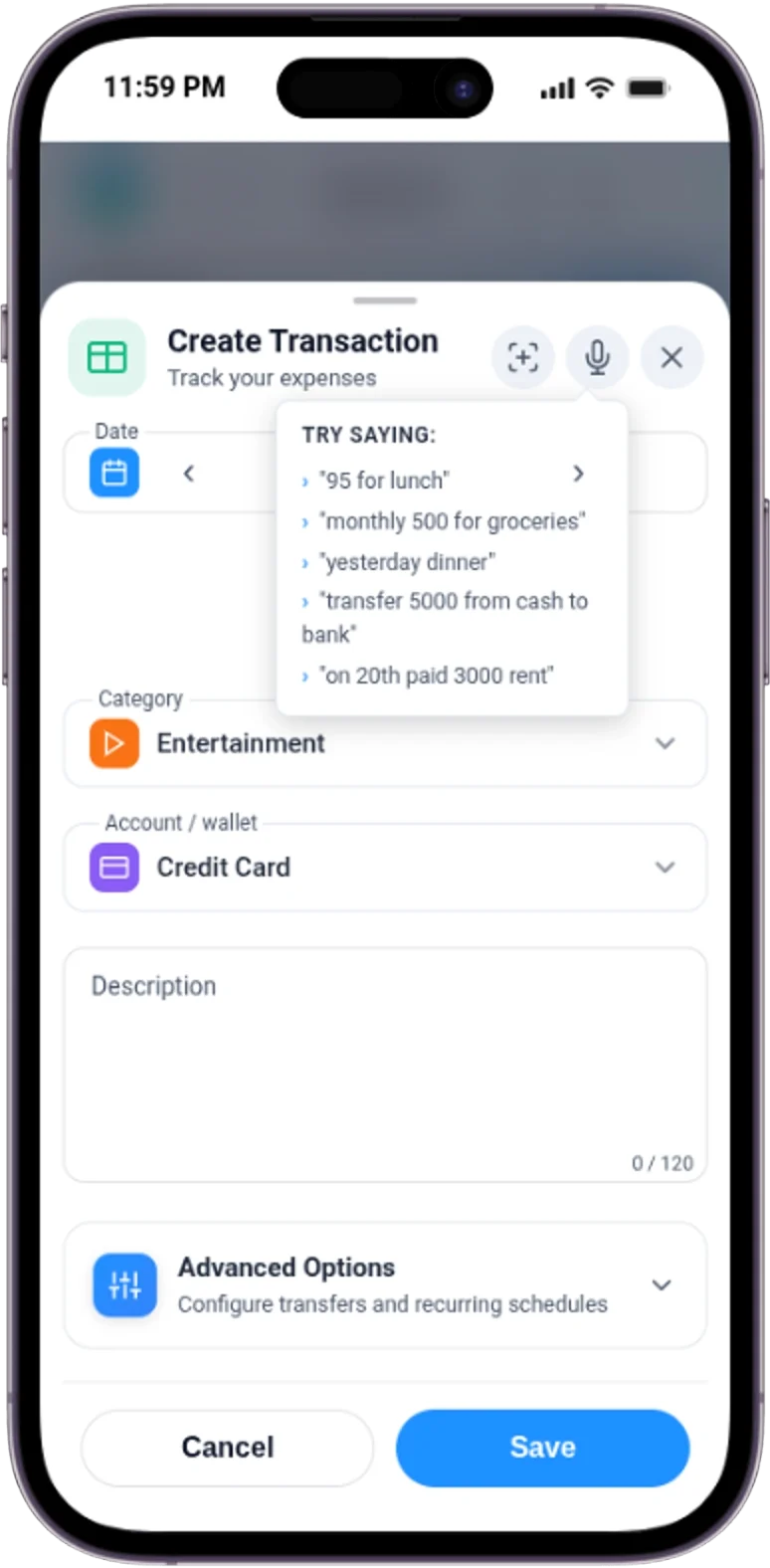
Add transactions fast with smart categorization
.webp)
Visual insights with charts and spending patterns
.webp)
Organize and track multiple accounts and wallets
.webp)
Set and track monthly budgets with progress indicators
.webp)
Monitor product expiries with smart reminders
.webp)
Organize purchases and convert to expenses
.webp)
Automate regular transactions with schedules
.webp)
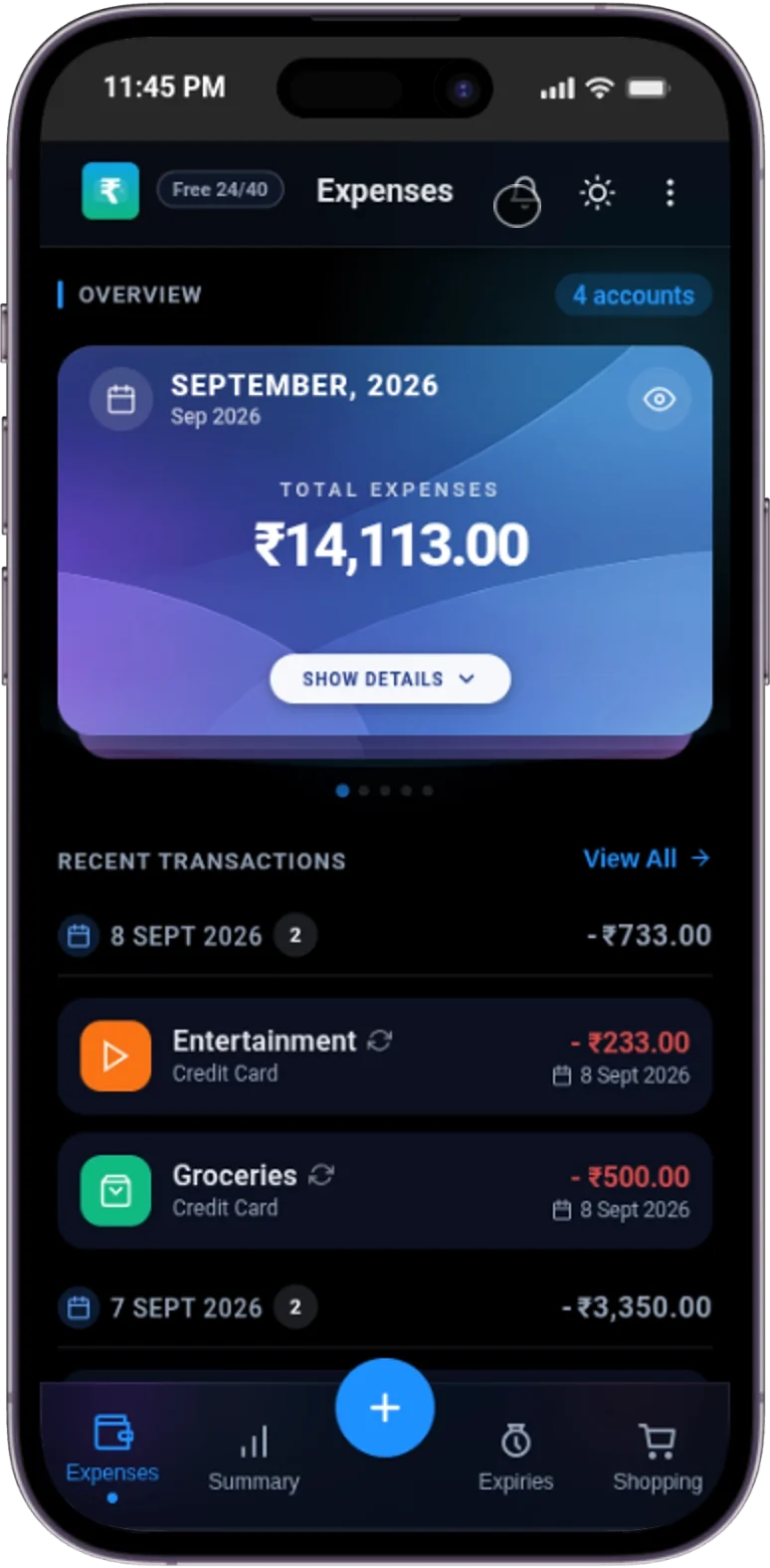
Comfortable viewing with theme customization
.webp)
Record expenses hands-free with voice input
Why This Is Different
Security-First Features
Every feature runs on YOUR device. Your data never leaves your phone.
Showing 14 of 14 tools

All financial data is stored in your browser's IndexedDB. No servers, no cloud sync, no accounts. Your expenses are physically incapable of being accessed by anyone but you.

No email, no password, no credentials to steal. Open the app and start tracking instantly. There's nothing to phish because there's no login.

No cookies, no behavioral tracking, no analytics scripts. Your spending patterns are your business, not ours. We literally can't see what you do.

Use the built-in expense calculator to log income, expenses, and investments with quick editing, custom descriptions, and categories. Your numbers stay private on your device.

Filter records by type, category, search text, and date windows including custom ranges so you can review spending patterns and monthly trends faster.

View donut charts, monthly totals, budget progress, over-budget warnings, and copy budgets between months from one clean budget tracking workflow.

Create recurring schedules for transactions and track product expiries with reminder timing and urgency views so important payments and household items are easier to manage.

Capture purchase ideas, long-press to multi-select items, and convert one or many items into expenses when a planned purchase becomes a real transaction.

Premium users can import CSV backups, export data, and download report-style CSV files whenever needed. Your data remains yours forever with unlimited export capabilities.

Create separate accounts for cash, bank, and credit cards with unique balances and opening amounts. Credit cards include billing cycle tracking, spending limits, and payment history.

Track both money you lend and borrow with complete payment history, outstanding balances, repayment progress, and full settlement tracking for every debt.

Scan paper receipts using your camera with built-in OCR text extraction. Upload and view PDF receipts directly in the app.

Record expenses hands-free using voice input. Tap the microphone and speak your transaction details instead of typing.

Secure your financial data with a 4-digit passcode. Supports Face ID and fingerprint unlock on supported devices. Your data stays private even if someone else uses your phone.
Investments & Loans
Monitor SIPs, gold, property investments and manage EMI schedules with automated tracking.

Track gold, property, mutual funds, LIC, and custom investments with current value, returns, and linked transactions.

Track home, vehicle, and personal loans with EMI amounts, repayment progress, interest rates, and due dates.

Connect recurring schedules to investments or loans — repayments track themselves when transactions generate.
Set up automated tracking for your investments and loans in five simple steps. Once linked, repayment counters update automatically — no manual editing needed.
Every loan entry generates a full amortization schedule using the standard reducing balance method. Here's the math behind your repayment tracking.
Our free expense calculator does the math for you. Every time you log a transaction, the app automatically recalculates your totals, category breakdowns, and budget progress. No separate calculator app needed. Your numbers never leave your device.
Unlike traditional expense calculators that send your data to the cloud, our calculator runs entirely in your browser. Every calculation is instant, private, and happens on-device. No accounts needed, no waiting for server responses — just fast, accurate results you can trust.
Pricing
Free
Premium
Pay via Razorpay link, then activate in app using unlock code or Razorpay Payment ID.
Customer Reviews
See what people are saying about taking control of their finances with our expense tracker.
Finally, an expense tracker that respects my privacy. No sign-up, no data leaving my phone. The budgeting tools are exactly what I needed.
I've tried every budgeting app out there. This one wins because it works offline, has no ads, and the recurring tracker saves me hours.
Investment and loan tracking surprisingly powerful for a free app. Expenses, EMIs and SIP returns — all in one place now.
The monthly budget warnings changed how I spend. I get a gentle nudge before I overshoot, not after. So simple, so effective.
CSV export is a game changer at tax time. One click and my accountant has everything. Clean, fast, no lock-in.
12-hour shifts leave zero time for bookkeeping. Logging an expense takes 5 seconds. It just fits into my day.
Works in low network areas without complaint. My fuel and daily earnings tracking finally stays consistent.
Switched from a subscription app and couldn't be happier. One-time upgrade, no recurring fees, and I own my data.
The expiry tracker alone is worth it. Fewer wasted groceries, real reminders, and I save money every month.
Clean UI, fast PWA install, feels native. Recommended it to my whole family — the budget warnings keep us on track.
Finally I can see where the household money goes each month. Categories in my language of thinking. Very intuitive.
Travel, food, fuel — I log everything between meetings. Offline-first means it never fails me on the road.
It's an incredible piece of software. Dark mode is beautiful and everything just feels smooth and private.
Cross-platform with zero setup. Open the link and you are tracking. No account, no friction, no excuses.
Why Us
Built for people who value privacy, simplicity, and full control over their finances.
Personal Finance Blog
Expert advice on budgeting, saving, investing, and achieving your financial goals
Discover the proven strategies for creating a budget that you'll actually stick to. Learn how to overcome common budgeting pitfalls, automate your savings, and build a system that adapts to your lifestyle while helping you reach your financial goals faster.
Small changes can lead to big savings. Discover practical, actionable tips that can help you save an additional ₹500 this month without dramatically changing your lifestyle.
Read MoreYou don't need thousands to start investing. Learn how to begin your investment journey with just ₹100 and build a portfolio that grows over time.
Read MoreTransform your dreams into achievable financial goals. Learn the SMART framework for goal setting and create a roadmap to financial success.
Read MoreCompare two popular debt repayment strategies and discover which approach aligns with your personality and financial situation for faster debt freedom.
Read MoreNavigate the path to homeownership with this comprehensive guide to saving for your first down payment, including strategies you might not have considered.
Read MoreReview the top personal finance apps and tools that can help you budget, save, invest, and track your net worth more effectively.
Read MoreWant more personal finance tips and strategies?
Expense Calculator FAQ
Expense Tracker helps you record daily expenses, track income, manage budgets, review summaries, maintain shopping lists, and keep recurring entries in one place.
Yes. The app is built as a progressive web app and supports offline use after it has loaded.
No. You can open the expense tracker and start adding transactions immediately without creating an account.
Yes. Data portability features include import, export, and downloadable reports.
Yes. It automatically calculates totals, category breakdowns, income vs spending, budget progress, and savings so you never need to do manual math.
Yes. All expense calculator features are free with no account required. Start tracking and calculating your spending instantly.
Your data never leaves your device. We don't have servers storing your information, so there's nothing to hack. Your expenses live only in your browser's local storage.
No. We have zero access to your data. There's no server, no account system, and no way for anyone — including us — to see what you enter.
You'll lose your records. That's actually by design — it proves your data was never copied anywhere else. We recommend using the export feature regularly.